Settings
Adapter settings, global configuration, and secrets management.
The Settings menu (gear icon in the top toolbar) provides access to system-wide configuration pages.
Adapter settings
Configure global credentials and settings for notification adapters. These settings are shared across all subscriptions that use the adapter.
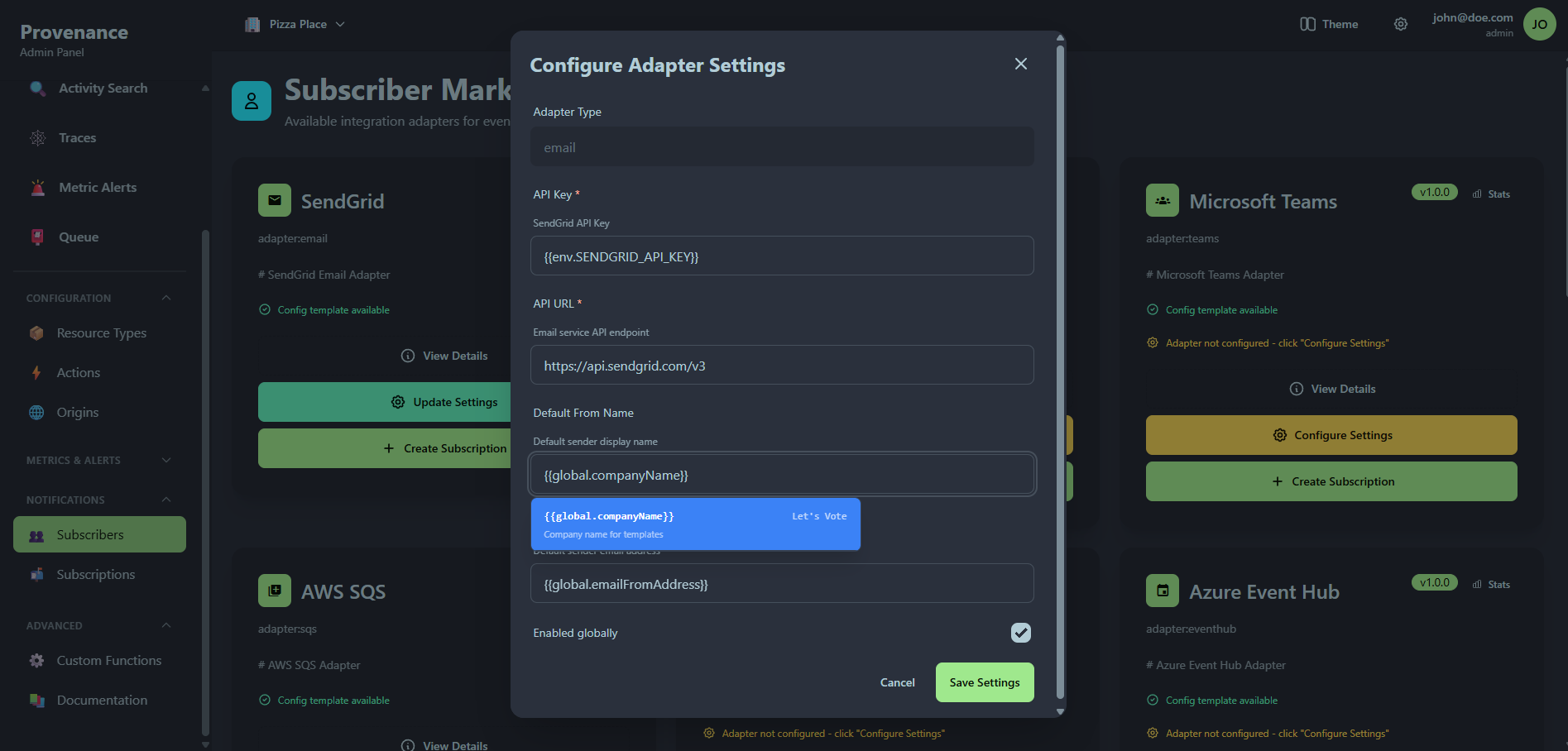
Each adapter setting card shows:
- Adapter type name and identifier
- Enabled/Disabled status badge
- Configuration — the JSON settings (displayed in a code block)
- Edit and Delete buttons
Creating adapter settings
Click + New Setting to open the creation modal:
| Field | Required | Description |
|---|---|---|
| Adapter Type | Yes | Select from available adapter types |
| Settings (JSON) | Yes | Adapter-specific credentials and configuration |
| Enabled | Yes | Toggle to enable/disable the adapter globally |
Example for the SendGrid email adapter:
{
  "apiKey": "SG.your-sendgrid-api-key"
}
Global settings
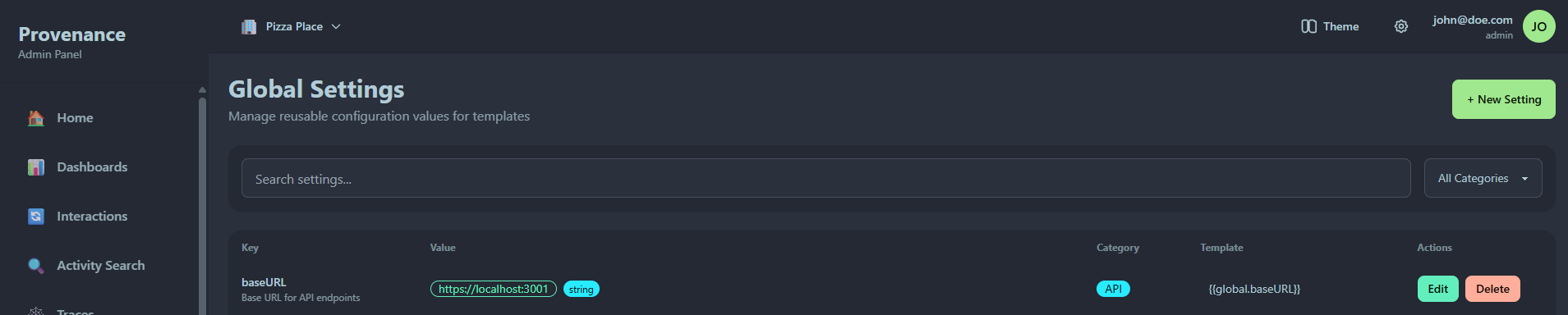
Global settings are reusable key-value pairs that can be referenced in subscription templates using {{global.keyName}} syntax.
Features
- Search — filter settings by name
- Category filter — filter by category (General, Email, Webhook, etc.)
- Template reference — each setting shows its template variable (e.g.
{{global.baseURL}})
Creating a global setting
| Field | Required | Description |
|---|---|---|
| Key | Yes | Unique identifier (e.g. baseURL, supportEmail) |
| Value | Yes | The setting value |
| Description | No | What this setting is used for |
| Type | Yes | String, Number, Boolean, or Object |
| Category | Yes | Organizational category |
Use case
Global settings are ideal for values shared across multiple subscriptions:
- Base URLs for webhooks
- Default email addresses
- Feature flags
- Environment-specific configuration
Instead of hardcoding values in every subscription config, reference them as {{global.keyName}} and update them in one place.
Secrets
The Secrets page provides secure storage for sensitive credentials used in notification templates. Secrets are encrypted at rest and resolved at runtime — values are never exposed in the UI or API responses after creation.
Provenance supports three storage modes:
- Provenance — encrypted in the database with AES-256-GCM
- External provider — fetched at runtime from AWS Secrets Manager, Azure Key Vault, GCP Secret Manager, or HashiCorp Vault
- Environment variable — mapped to a server env var (self-hosted only)
Each secret has a test button that verifies the secret can be resolved without exposing the value.
See Secrets for full documentation.
Secret providers
Secret providers are connections to external secrets managers. Configure a connection once with credentials, then reference it when creating secrets.
The provider connection credentials are encrypted using the same AES-256-GCM encryption as Provenance-stored secrets.
See Secret Providers for setup instructions and provider-specific configuration.