Configuration
Manage resource types, actions, and origins from the dashboard.
The Configuration group contains three pages for managing the building blocks of your provenance system: resource types, actions, and origins. All three follow the same pattern — a data table with create, edit, and delete actions.
Resource types
Resource types define the categories of resources you're tracking (e.g. User, Order, Deployment).
Creating a resource type
Click + New Resource Type to open the creation modal.
| Field | Required | Description |
|---|---|---|
| Mnemonic | Yes | Short uppercase code (e.g. USER, ORDER). Used in API calls. |
| Title | Yes | Human-readable name (e.g. "User Account"). |
| Description | No | Longer description of what this resource type represents. |
| Icon | No | Material icon name (e.g. person) or emoji. Browse icons. |
| Background Color | No | Hex color for the badge background. |
| Text Color | No | Hex color for the badge text. |
A live badge preview shows how the resource type will appear throughout the dashboard.
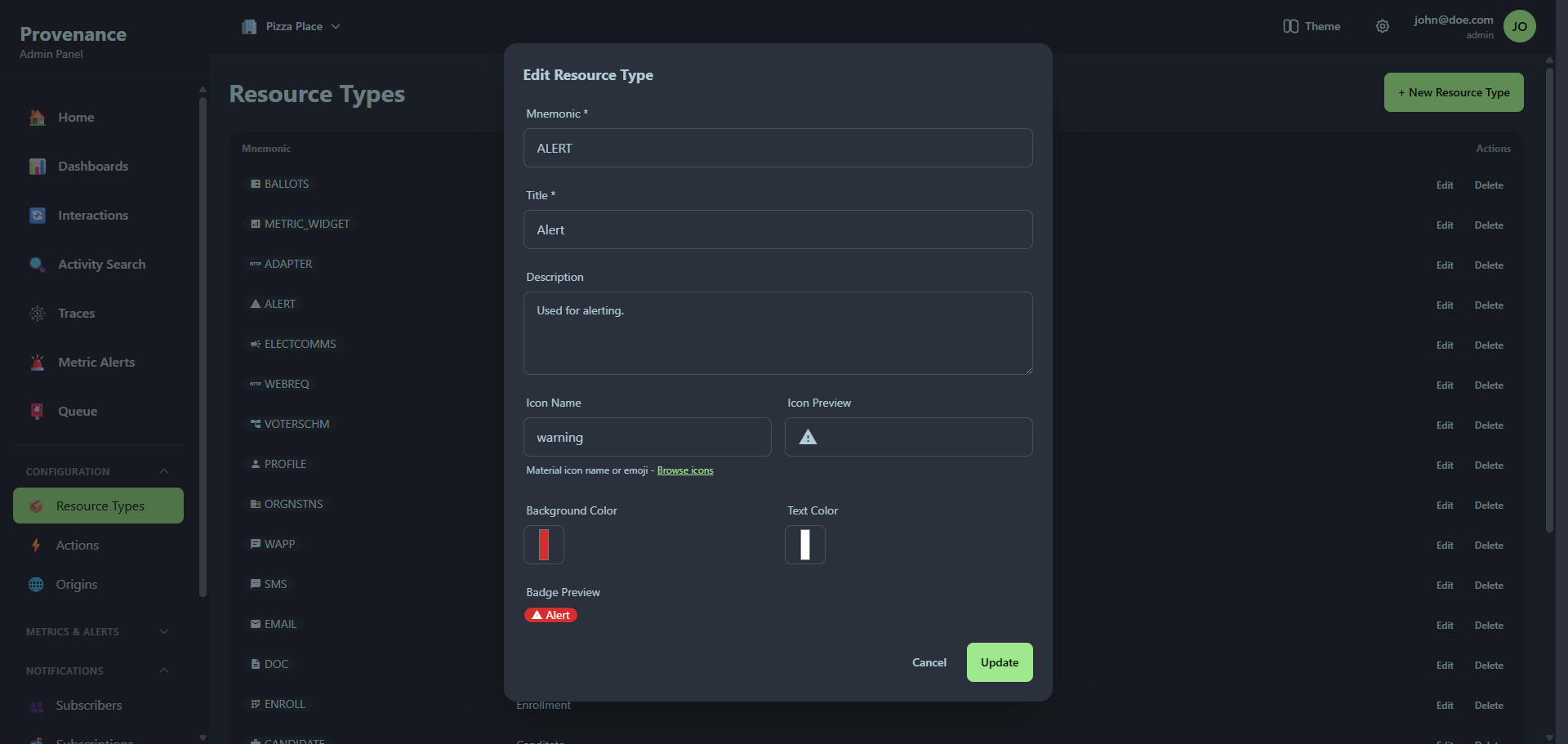
Table columns
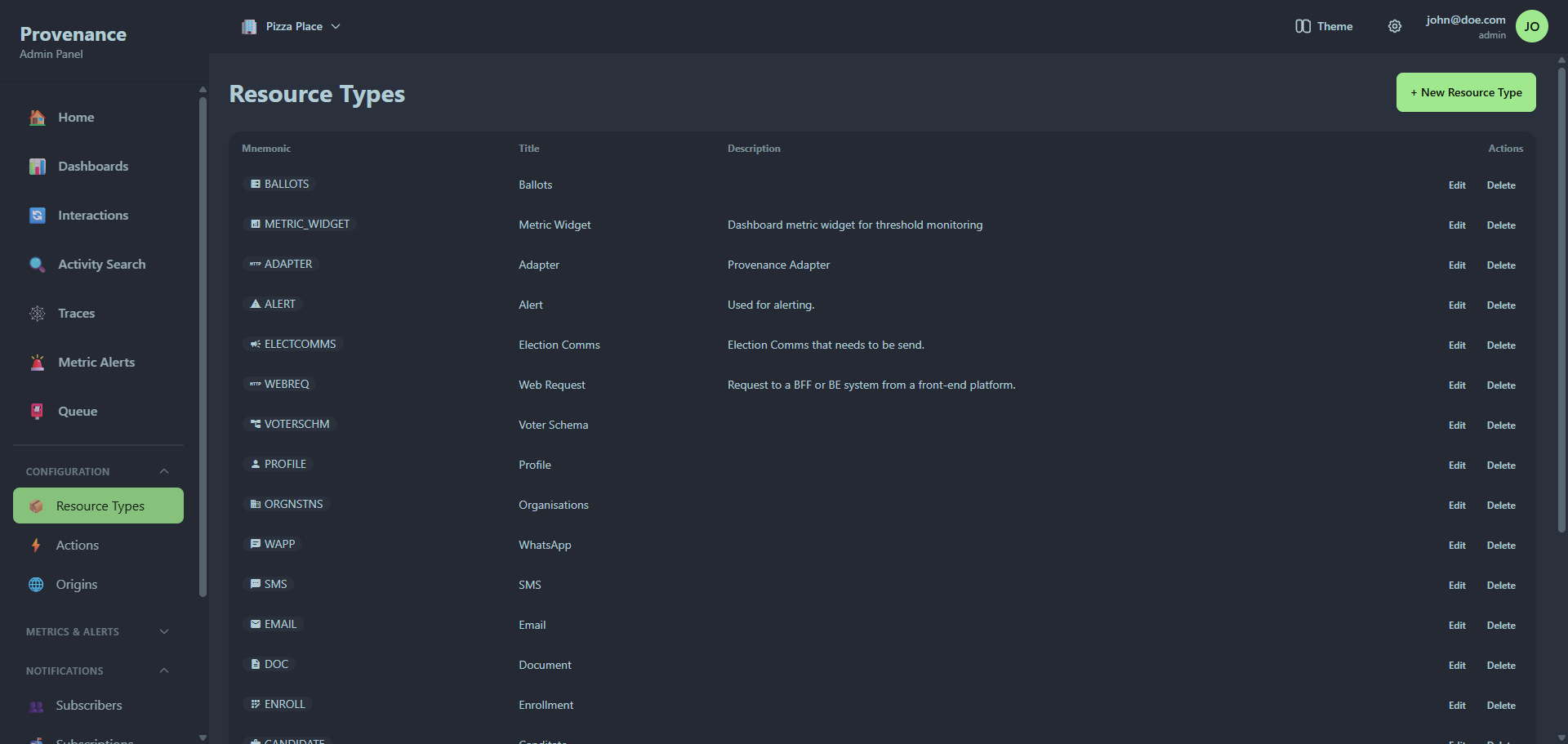
The data table shows: mnemonic, title, description, icon preview, badge preview, and action buttons (Edit, Delete).
System resource types (created automatically by Provenance) cannot be deleted.
Actions
Actions define the operations that can be performed on resources (e.g. Create, Update, Login, Deploy).
The creation modal has the same fields as resource types: mnemonic, title, description, icon, background color, and text color — with a live badge preview.
Origins
Origins identify the source system or service where interactions originate (e.g. WebApp, CLI, GitHub Actions).
Same creation flow as resource types and actions, with the same customization options for icons and colors.
Visual customization
The icon and color system is consistent across the entire dashboard. Once you set colors for a resource type, action, or origin, those colors appear everywhere:
- Interaction tables
- Activity search results
- Trace visualizations
- Dashboard widgets
- Alert cards
- Home page metrics
This makes it easy to visually identify different types of activity at a glance.