Custom Functions
Create and manage JavaScript functions for subscription lifecycle hooks.
Custom Functions let you write JavaScript functions that execute during notification processing. They're used as lifecycle hooks in subscriptions — filtering, transforming, or validating interaction data before or after delivery.
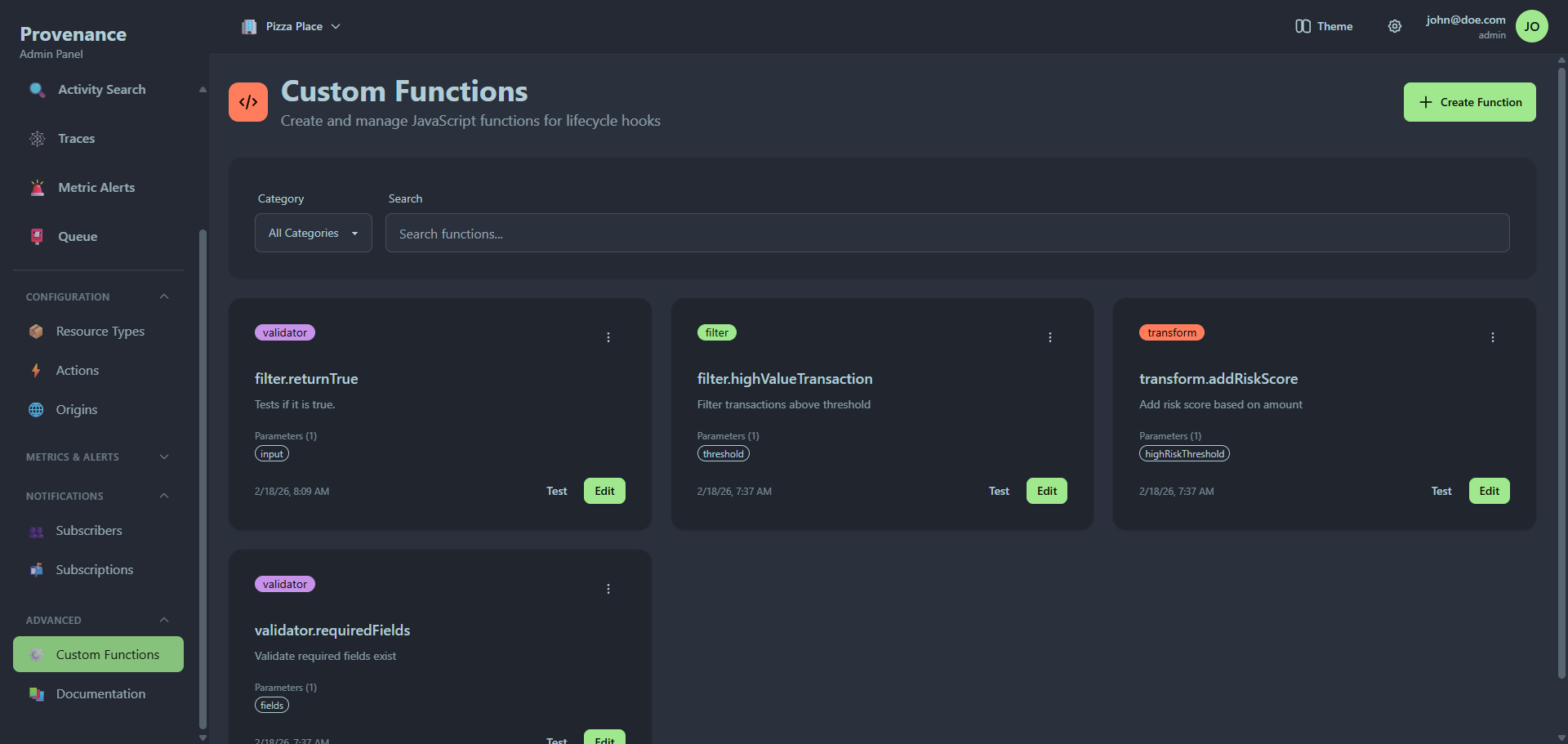
Function categories
Each function belongs to one of three categories:
| Category | Badge color | Purpose |
|---|---|---|
| Filter | Primary | Return true/false to allow or block notification delivery |
| Transform | Secondary | Return a modified interaction object before delivery |
| Validator | Accent | Return true/false to validate interaction data |
Function list
Functions are displayed as a card grid. Each card shows:
- Category badge (color-coded)
- Function name and description
- Parameter list as small badges
- Created date
- Actions: Edit, Test, Delete (via dropdown menu)
Filtering
Use the filter bar to narrow down functions:
- Category dropdown — filter by Filter, Transform, or Validator
- Search — search by name or description
Creating a function
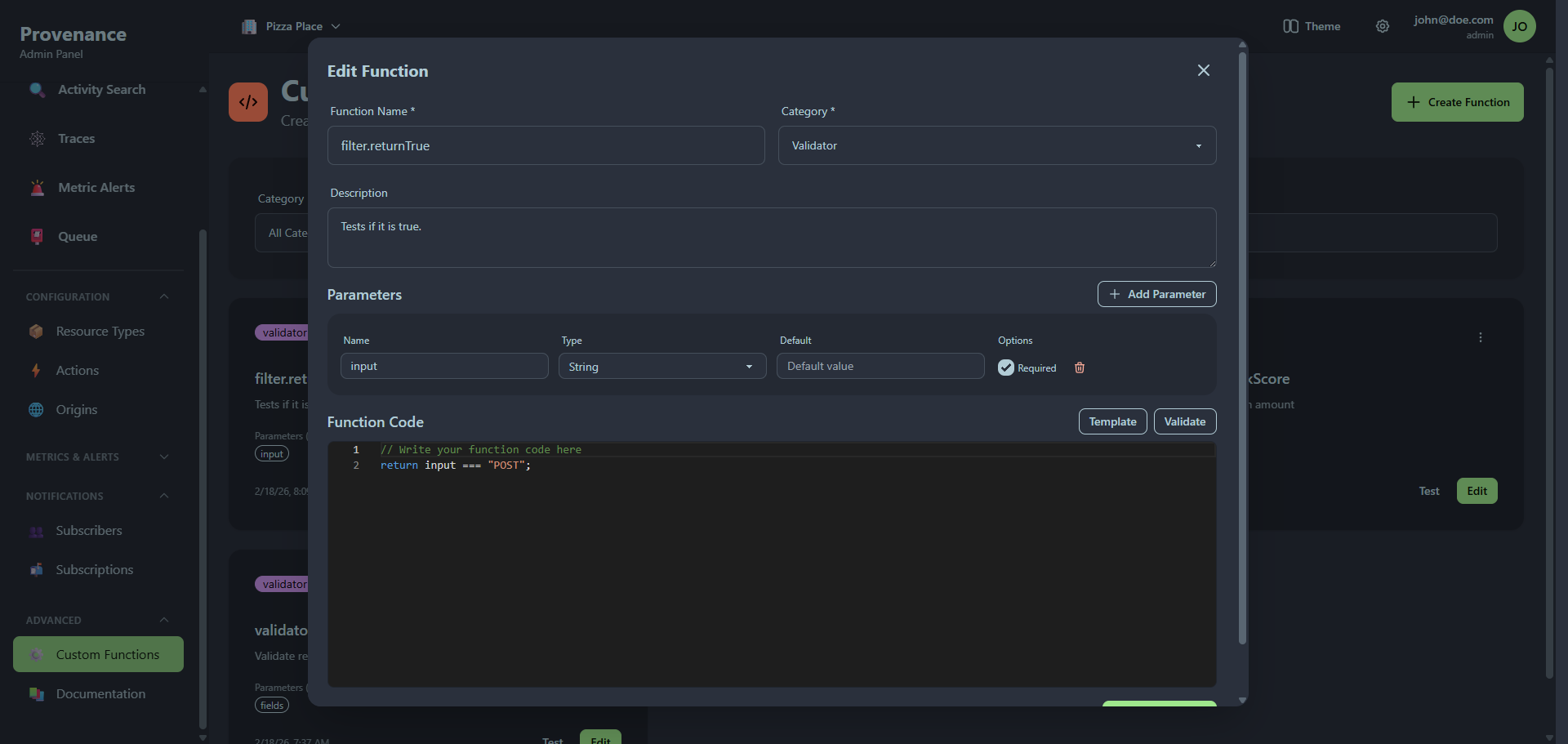
Click Create Function to open the editor modal.
Basic fields
| Field | Required | Description |
|---|---|---|
| Function Name | Yes | Identifier (e.g. filter.highValue, transform.enrichPayload) |
| Category | Yes | Filter, Transform, or Validator |
| Description | No | What this function does |
Parameters
Click Add Parameter to define input parameters your function accepts. Each parameter has:
| Field | Description |
|---|---|
| Name | Parameter name (used in the function code) |
| Type | String, Number, Boolean, Array, or Object |
| Default | Default value if not provided at runtime |
| Required | Whether the parameter must be supplied |
Parameters are passed to the function when it's invoked by a lifecycle hook. You define the parameter values in the subscription's lifecycle hook configuration.
Code editor
The function body is written in JavaScript using an embedded Monaco editor (the same editor as VS Code) with syntax highlighting and autocomplete.
Available variables inside the function:
interaction— the full interaction objectconfig— the subscription configurationcontext.utils— utility functions
Click Template to insert a starter template for the selected category. Click Validate to check for basic syntax issues.
Filter template
// Return true/false to allow/deny execution
return interaction.amount > threshold;
Transform template
// Return modified interaction object
return {
  ...interaction,
  processedAt: new Date().toISOString(),
  customField: 'value'
};
Validator template
// Return true/false for valid/invalid
return requiredFields.every(field =>
  interaction[field] != null && interaction[field] !== ''
);
Testing a function
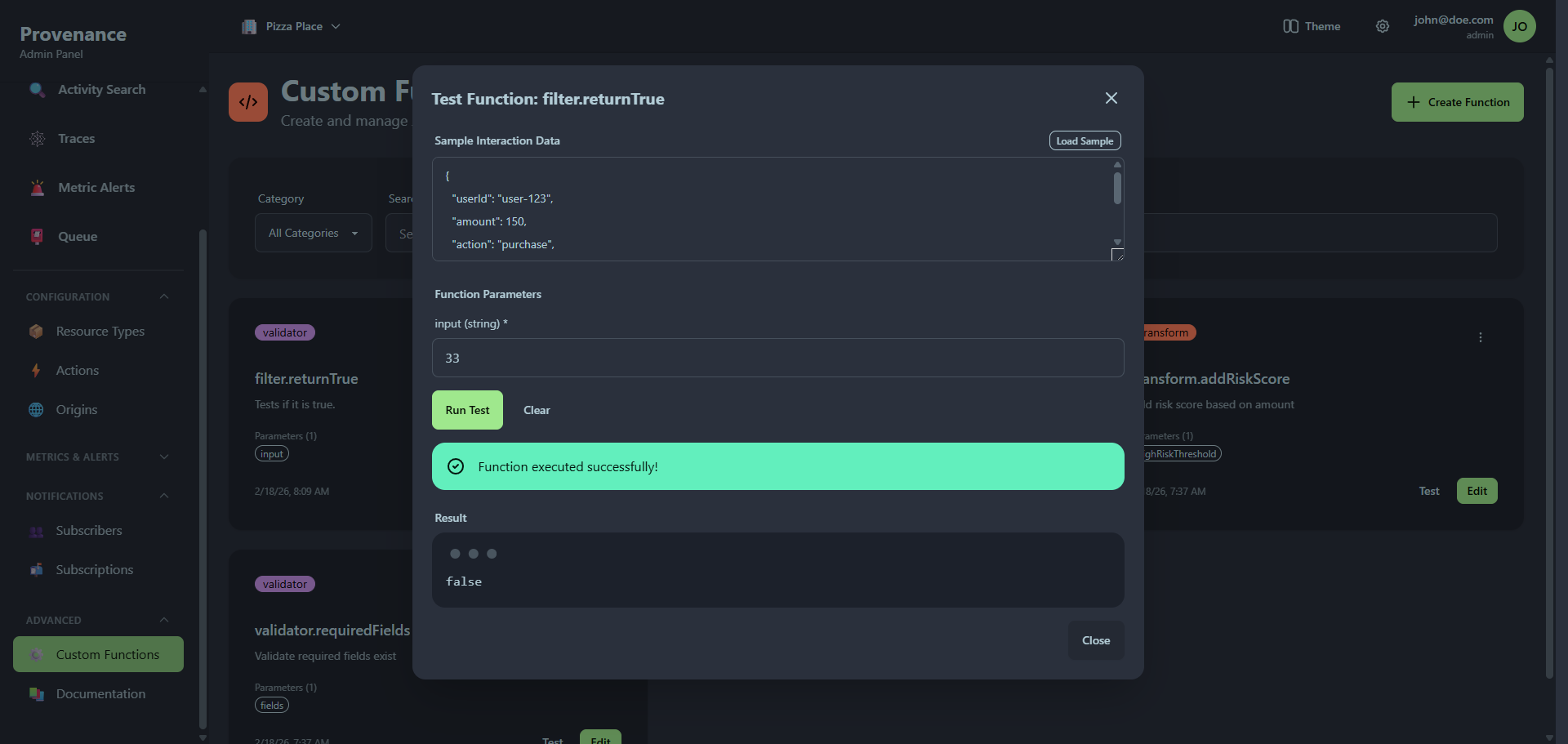
Click Test on any function card to open the test modal.
Test inputs
| Field | Description |
|---|---|
| Sample Interaction Data | JSON object simulating an interaction payload. Click Load Sample for example data. |
| Function Parameters | Input fields for each defined parameter, typed according to the parameter definition. |
Click Run Test to execute the function server-side in a sandboxed environment. The result shows:
- Success — green alert with the function's return value
- Failure — red alert with the error message
Using functions in subscriptions
Custom functions are referenced in subscription lifecycle hooks. When creating or editing a subscription, Step 3 (Lifecycle Hooks) lets you attach functions to different stages of notification processing:
- Pre-send — runs before the notification is sent (use filters to block, transforms to modify)
- Post-send — runs after successful delivery
- On-error — runs when delivery fails
Each hook specifies the function name and parameter values. See Notifications → Creating a subscription for the full workflow.
Security
Custom functions execute in a sandboxed environment on the server. The API performs additional validation beyond what the client-side editor checks:
- Dangerous patterns are detected and blocked
- Functions must contain a return statement
- Code length is limited to 50,000 characters
- Execution is time-limited to prevent infinite loops