Activity Search
Advanced search across all interactions with JSON path filtering and flexible grouping.
Activity Search provides a more powerful search interface than the Interactions page. It queries the POST /api/activity endpoint, which returns interactions grouped by user and Unit of Work — giving you a session-level view of what happened.
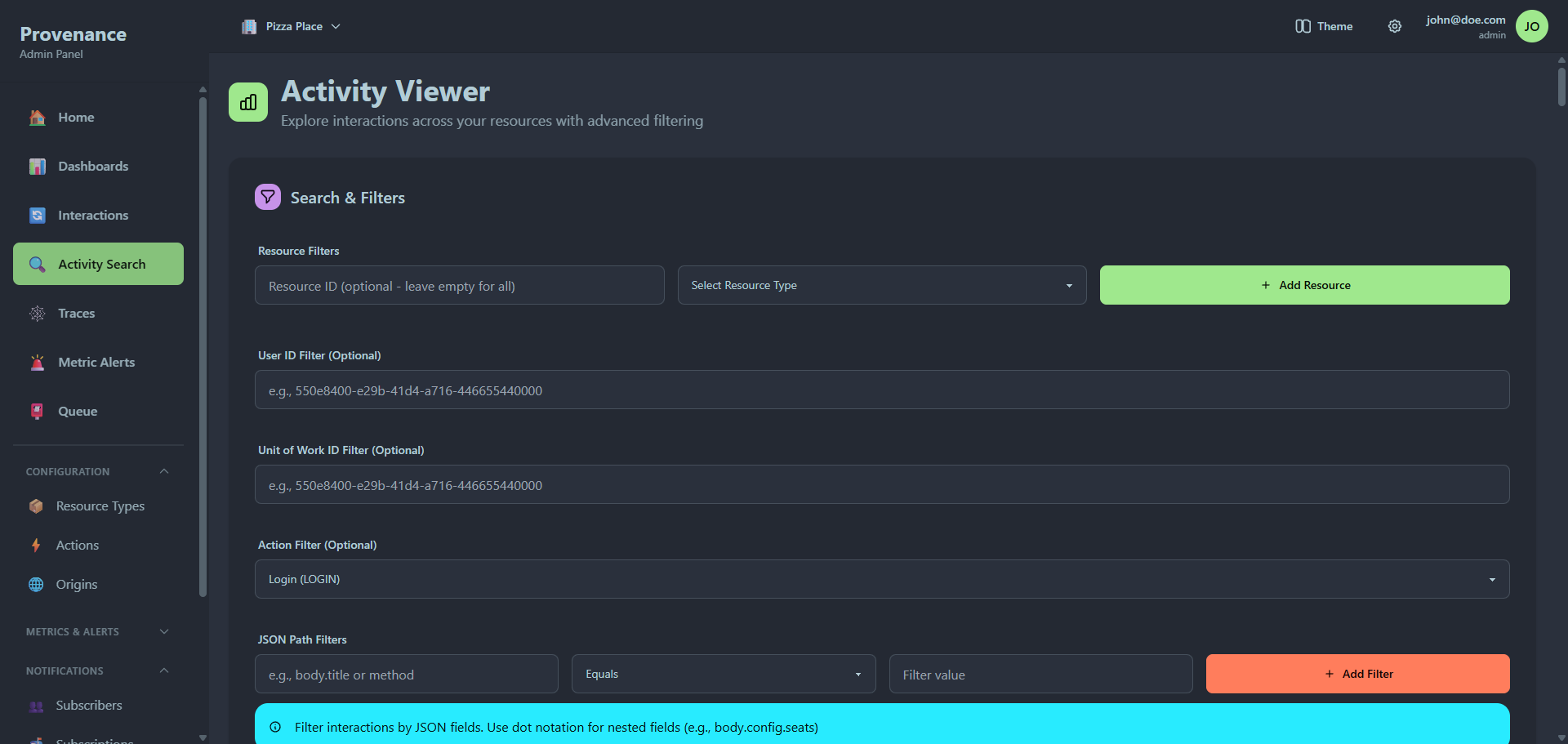
Resource filters
The primary filter is a list of resource type + resource ID pairs. Click Add Resource to add a row.
| Field | Description |
|---|---|
| Resource Type | Select from your configured resource types (dropdown) |
| Resource ID | The specific resource ID to search for. Use * to match all resources of that type. |
You can add multiple resource rows to search across different resource types in a single query.
Additional filters
| Filter | Description |
|---|---|
| User ID | Filter by the user who performed the interactions |
| UOW ID | Filter by a specific Unit of Work ID |
| Action | Filter by a specific action (dropdown) |
All filters are optional. At least one filter (resource, user ID, UOW ID, action, or JSON filter) must be set before searching.
JSON path filters
Filter interactions by values inside the JSON interaction payload using dot notation. This is the most powerful feature of Activity Search.
Click Add JSON Filter to open the filter builder.
| Field | Description |
|---|---|
| Path | Dot-notation path into the interaction JSON (e.g. status, body.title, config.seats) |
| Operator | Equals, Contains, Starts With, or Exists |
| Value | The value to match against (not required for Exists) |
Active JSON filters appear as removable chips below the builder.
Examples:
- Find interactions where
statusequals"failed": Pathstatus, OperatorEquals, Valuefailed - Find interactions containing an
emailfield: Pathemail, OperatorExists - Find interactions where
methodstarts with"POST": Pathmethod, OperatorStarts With, ValuePOST
JSON filters use OR logic — if any filter matches, the interaction is included.
Result grouping
Results can be grouped by different dimensions using the Group By dropdown:
| Group By | Description |
|---|---|
| UOW (default) | Group by Unit of Work ID — shows all interactions in each distributed transaction together |
| User | Group by user ID — shows all interactions per user |
| Action | Group by action mnemonic |
| Resource Type | Group by resource type mnemonic |
| Date | Group by calendar date |
| JSON field | Group by any active JSON filter path (appears dynamically when JSON filters are active) |
Each group shows a header with the group key and interaction count, followed by the individual interactions.
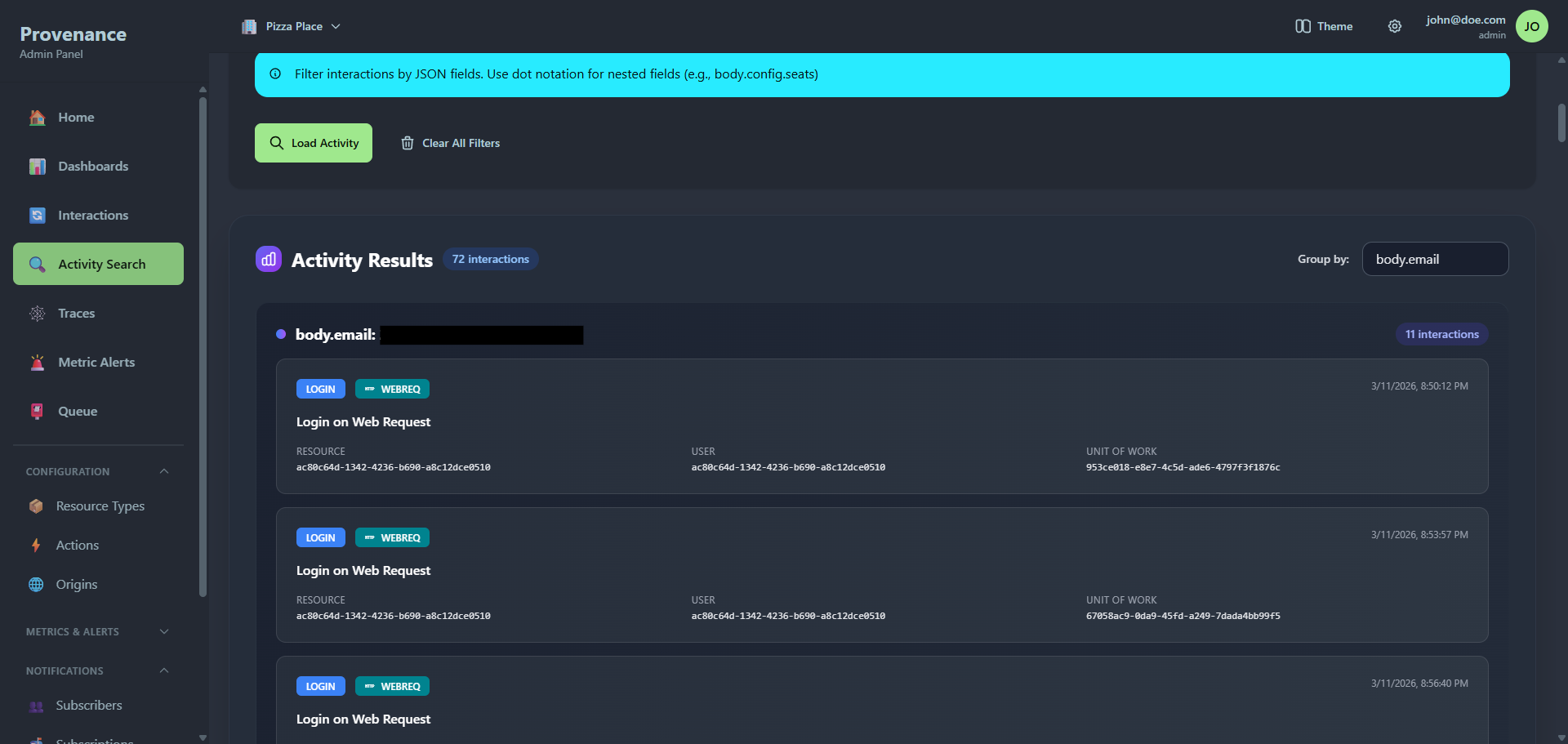
Results
Each interaction in the results shows:
- Resource type badge (with custom colors and icon)
- Action badge (with custom colors and icon)
- Origin badge
- Resource ID
- User ID and UOW ID
- Timestamp
- View button to inspect the full interaction data
Interaction detail modal
Clicking View opens a modal showing:
- Origin and action badges with timestamps
- External reference (if present)
- Full interaction JSON payload
- External response JSON (if present)
- Notification audit records with subscriber name, delivery status, status code, and response details
Query parameters
Activity Search also accepts query parameters for deep linking:
?actionId=uuid— pre-fills the action filter and auto-searches?resourceTypeId=uuid— pre-fills a resource filter with*for that type and auto-searches
These are used by the Home page when you click on a top action or resource type.